Workflow automation can sound bigger and more complex than it really is. For many small businesses, the best automation work does not start with a huge system overhaul. It starts with fixing a few repetitive processes that waste time, create delays, or make the customer experience feel inconsistent.
If you are exploring workflow automation services for small businesses, the main question is not which tools are trendy. The better question is which processes are costing you the most time, causing the most friction, or making leads and clients slip through the cracks.
In this article, we will look at the best places to start, how to decide what is worth automating first, and what a practical automation roadmap can look like for a small business.
Table of Contents
What Workflow Automation Services Usually Mean for a Small Business
Small business workflow automation is about reducing manual steps across the everyday operations that keep the business moving. That might include capturing leads, sending follow-ups, collecting onboarding details, assigning tasks, updating internal trackers, or moving information between tools.
In practice, workflow automation services often include:
- mapping the current process
- finding the repetitive bottlenecks
- connecting the tools you already use
- building the automation itself
- testing and refining the flow so it stays reliable
The goal is not to automate everything. It is to automate the parts that are repetitive, rules-based, and important enough to justify cleanup.
How to Decide What to Automate First
Before choosing a workflow, use three simple filters:
- Frequency: Does this happen often enough to save meaningful time?
- Pain: Does this process create delays, mistakes, or frustration?
- Impact: Would improving this process help revenue, client experience, or team capacity?
If a workflow is frequent, painful, and important, it is usually a strong automation candidate.
For most small businesses, the best first automation projects fall into one of three categories: lead follow-up, client onboarding, or internal admin work.
1. Lead Follow-Up Is Often the Best First Automation
For many service businesses, leads come in through a form, email, social media, or referrals. The problem is what happens next. If responses are delayed, inconsistent, or forgotten, the business loses momentum before the sales conversation even starts.
Lead follow-up automation is often the best first move because it directly affects conversions. It can help ensure that every new lead receives a fast reply, the right next step, and a more consistent experience.
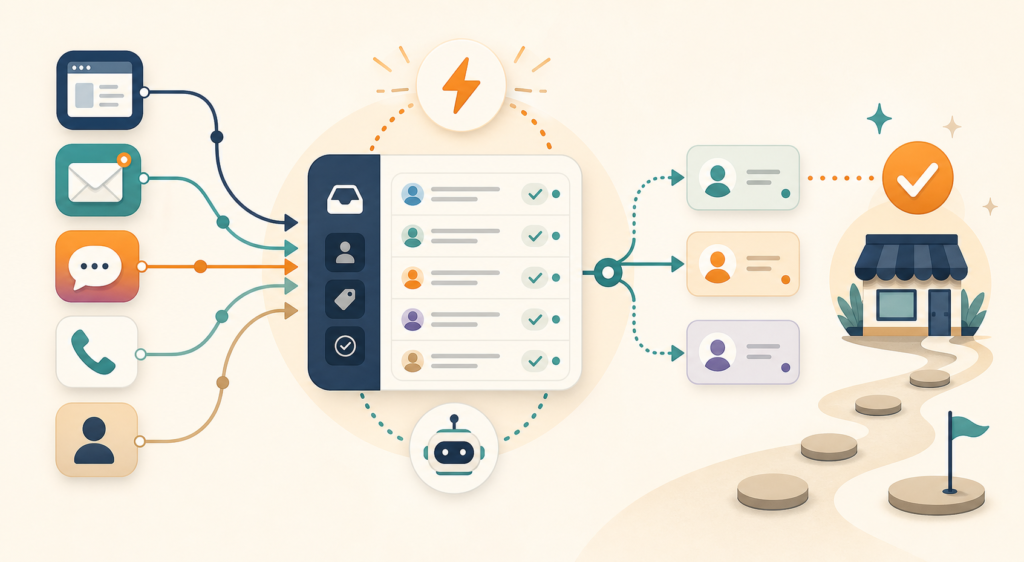
A lead follow-up workflow may include:
- capturing form submissions into one central place
- sending an instant confirmation email
- alerting the business owner or team member
- creating a task if no reply happens within a set time
- tagging or organizing leads by service type
If you want your website to act as a stronger entry point, this is often where to begin. For example, a workflow review process works much better when inquiries are captured and followed up consistently instead of manually.
Or if you are not sure whether this is already a problem in your business, these are the clearest signs your lead follow-up process needs automation.
2. Client Onboarding Is a Strong Second Priority
Once a lead says yes, many small businesses still rely on a messy onboarding process. Documents are sent manually, information is gathered in different places, and new clients are left waiting for next steps.
Client onboarding automation helps create a smoother first impression while reducing back-and-forth. It is especially valuable if you repeatedly send the same welcome email, intake form, checklist, contract, or internal handoff steps.
Common onboarding automation tasks include:
- sending a welcome email automatically after confirmation
- sharing intake forms and collecting key details
- creating project records or tasks in your workspace
- notifying the right team member when onboarding is complete
- tracking missing information so nothing stalls
This kind of automation does not just save time. It also helps your business feel more organized and professional from the start.
For a more detailed breakdown, see this guide to client onboarding automation for small businesses.
3. Internal Admin Work Is Often the Hidden Time Drain
Some of the most valuable automation opportunities are not customer-facing at all. They are buried inside admin work that quietly eats time every week.
This may include:
- copying data between tools
- updating spreadsheets or databases
- sending repetitive status updates
- creating recurring tasks manually
- organizing requests from email or forms
These tasks may not feel urgent on any single day, but together they create a lot of drag. Internal admin automation is often a smart choice when you already have steady lead flow and onboarding is acceptable, but operations still feel heavier than they should.
4. Reporting and Visibility Can Come After the Core Workflows
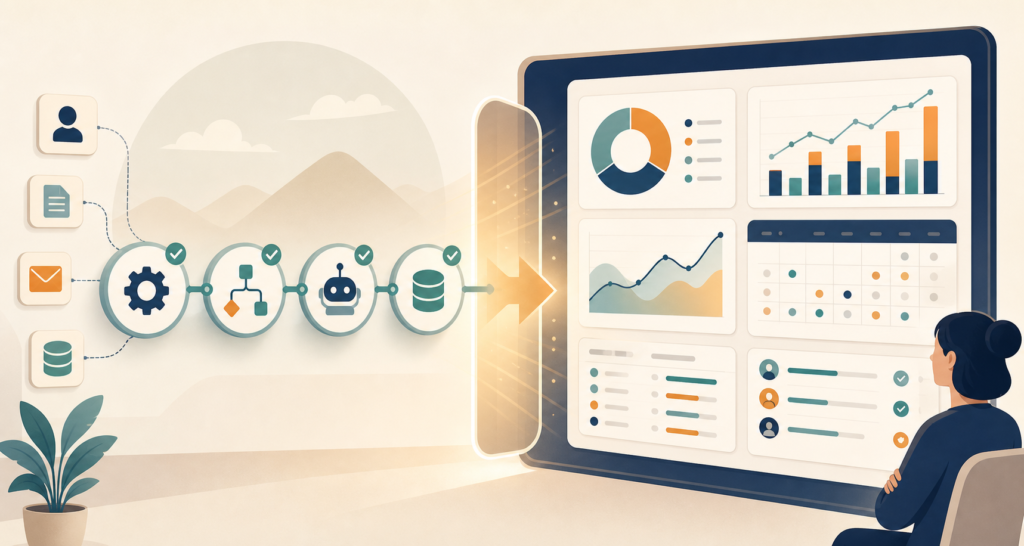
Once lead follow-up, onboarding, or admin processes are running more smoothly, the next level is often visibility. Small businesses often want to know how many leads came in, where they are in the pipeline, which onboarding steps are pending, or which requests need attention.
Reporting automation can help centralize that information, but it usually should not come first. Dashboards are more useful after the underlying workflow is already clean. Otherwise, you risk building visibility on top of a process that still needs fixing.
If you want a broader overview of how these projects are usually scoped and delivered, start with workflow automation for small businesses: what it actually includes.
What Not to Automate First
Not every process should be first in line. It is usually better to avoid starting with workflows that are:
- rare or inconsistent
- still changing every week
- highly dependent on human judgment
- already working fine with very low effort
If a process is unstable, unclear, or too customized, automation may create more confusion instead of less. In those cases, it is better to simplify the process first and automate it second.
A Simple Way to Prioritize Your First Automation Project
If you are unsure where to start, score each workflow from 1 to 5 in these areas:
- how often it happens
- how much manual time it takes
- how often mistakes or delays happen
- how much it affects revenue or client experience
The highest total score is usually your best first automation target.
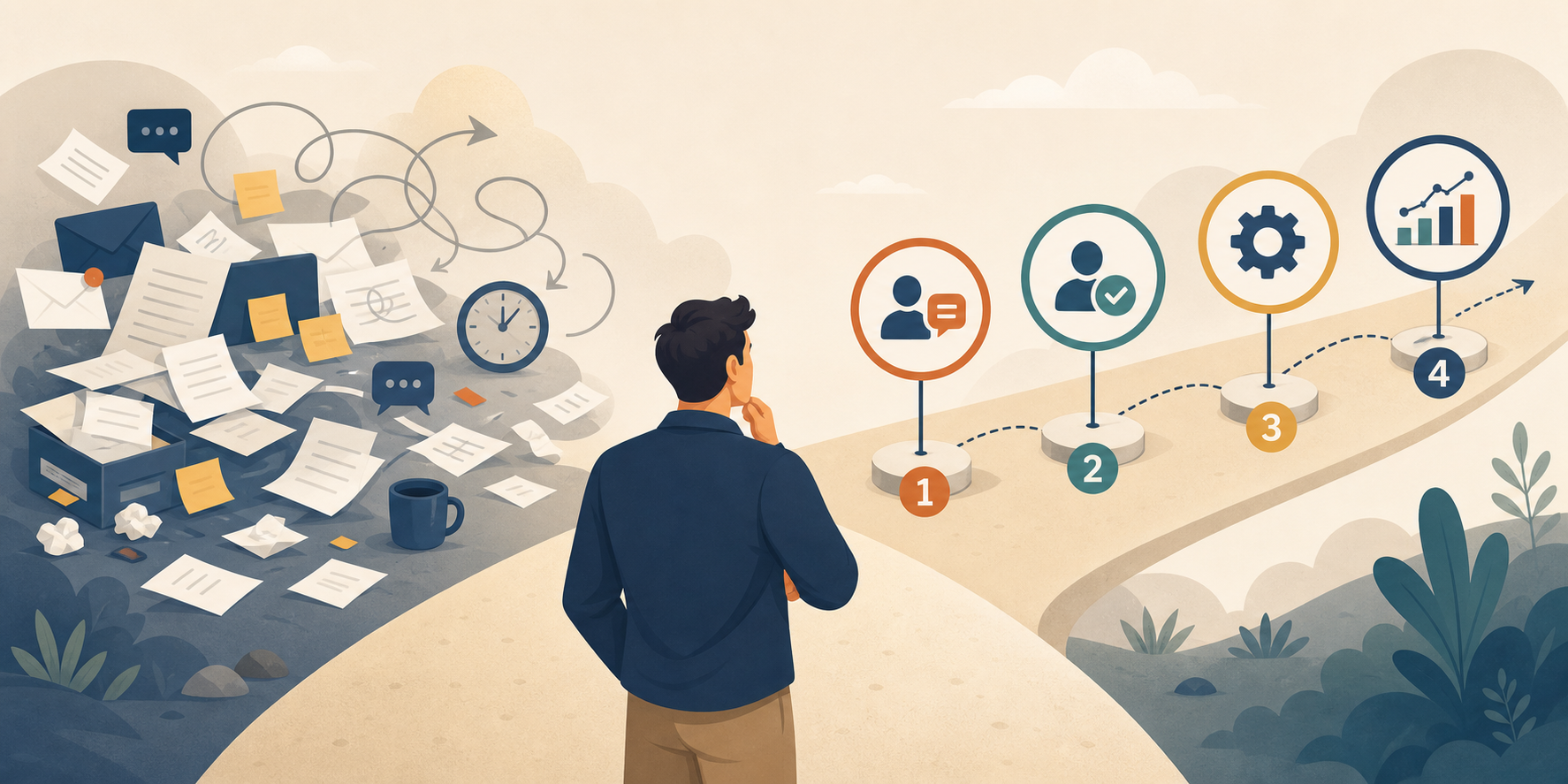
For many small service businesses, the ranking often looks like this:
- lead follow-up
- client onboarding
- internal admin workflows
- reporting and visibility
This order is not universal, but it is a practical starting point because it focuses first on revenue and client experience, then on internal efficiency.
What Good Workflow Automation Services Should Actually Deliver
If you hire someone to help with automation, the value should not come from just connecting tools. Good workflow automation services should help you understand what to automate, what to leave manual, and how to make the system easier to maintain over time.
A good automation setup should:
- fit your current business stage
- reduce busywork without adding unnecessary complexity
- be clear enough that you understand what happens when something triggers
- support a better client experience, not just back-end efficiency
If you are evaluating outside help, it also helps to understand what a small business automation consultant actually does before hiring one.
Final Thoughts
The best workflow automation strategy for a small business is usually not to automate everything at once. It is to start with the process that happens often, creates the most friction, and matters most to growth or delivery.
For many businesses, that means starting with lead follow-up. For others, it means cleaning up client onboarding or reducing the admin work happening behind the scenes. The right first step depends on where your business feels most manual today.
If you want a clearer view of which process to automate first, a structured workflow review can help you identify the biggest gaps and the most practical next step.
FAQ
What are workflow automation services for small businesses?
Workflow automation services help small businesses reduce manual work by improving repetitive processes such as lead follow-up, client onboarding, internal admin tasks, and tool-to-tool handoffs.
Which business process should I automate first?
Most small businesses should start with the process that is frequent, manual, and closely tied to revenue or client experience. Lead follow-up is often the best first choice, followed by onboarding or admin workflows.
Is workflow automation only useful for larger companies?
No. Small businesses can often benefit quickly because even simple automation can save time, reduce missed steps, and create a more consistent customer experience.
Do I need to automate everything at once?
No. A focused first project is usually better. Starting small makes it easier to test the workflow, reduce risk, and expand only after the first automation proves useful.