Small businesses often hear that automation will save time, reduce mistakes, and help the business run more smoothly.
That part is true.
The confusing part is what workflow automation for small business actually means in practice.
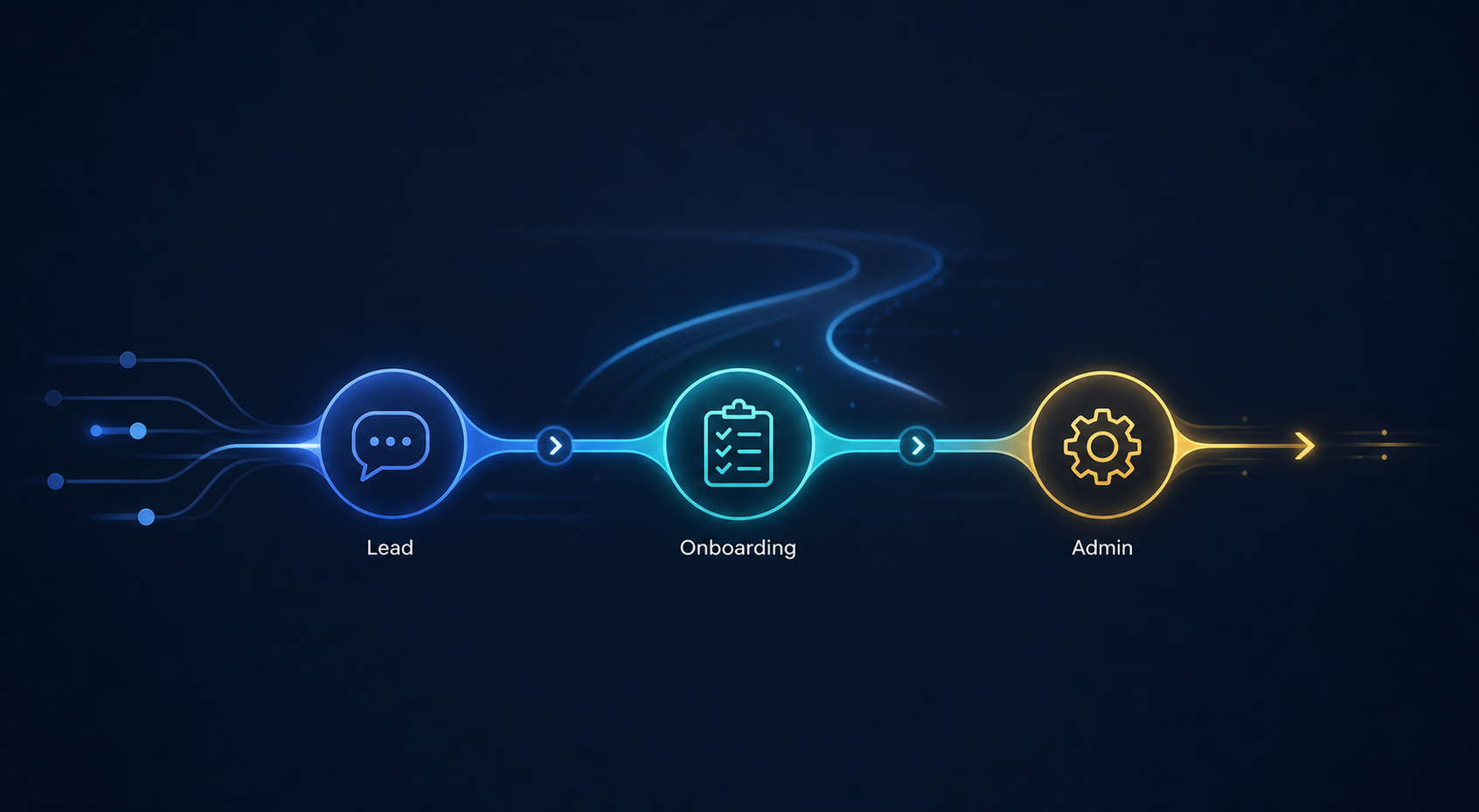
For most small service businesses, workflow automation is not about replacing people or building some giant technical system. It is about improving the repetitive steps that happen around leads, onboarding, follow-up, reminders, handoffs, and admin work.
If you are trying to understand whether automation is worth it for your business, this guide explains what workflow automation services usually include, what kinds of processes are a good fit, and when it makes sense to get outside help from a business automation consultant.
Table of Contents
What workflow automation for small business means
Workflow automation for small business means using tools and systems to reduce manual steps in recurring business processes.
Instead of relying on memory, copy-pasting, spreadsheets, or repeated back-and-forth messages, the business creates a more structured workflow.
In a small service business, that often includes things like:
- sending an automatic response when a lead submits a form
- assigning leads to the right stage in a pipeline
- sending reminders before a client call
- collecting onboarding details through forms
- creating internal tasks when a new client signs
- notifying the team when something needs attention
- moving information between tools without manual re-entry
The goal is not “automation for the sake of automation.”
The goal is to make the business easier to run.
What workflow automation services usually include
When a business hires someone for workflow automation services, the work usually includes more than just connecting two tools.
A practical automation project often includes four parts.
1. Workflow review
The first step is understanding how the current process works.
That means looking at:
- how leads come in
- what happens after someone contacts the business
- where follow-up slows down
- how onboarding begins
- which tools are involved
- where manual work, delays, or mistakes happen
Without this step, businesses often automate the wrong thing. It’s also important to have a somewhat working process in order for it to be automated. You cannot automate something if it doesn’t actually work for you.
2. Process design
Before building anything, the workflow needs to make sense.
This is where the business decides:
- what should trigger the workflow
- what should happen next
- which messages should be sent
- what internal notifications are needed
- where information should be stored
- who needs visibility at each step
This is one reason a small business automation consultant can be useful. The real value is often not just the tools, but the logic behind the process.
3. Automation setup
This is the implementation stage.
Depending on the business, that might include:
- form and CRM connections
- calendar and email integrations
- lead routing
- onboarding forms
- contract or intake triggers
- task creation
- Slack or email notifications
- status updates across tools
This is the part most people think of when they hear “automation,” but it works best when the earlier process decisions are already clear.
4. Testing and handoff
A useful workflow is not just built. It is tested.
That means checking:
- whether triggers fire correctly
- whether messages arrive at the right time
- whether data goes to the correct place
- whether the process still makes sense in real use
- whether the business owner or team can actually maintain it
A good handoff should leave the business with clarity, not confusion.
Which processes small businesses should automate first
Not every process needs automation.
For a small service business, the best place to start is usually a process that is:
- repeated often
- easy to define
- time-sensitive
- expensive when missed
- annoying to manage manually
In most cases, the strongest starting points are the same three areas.
Lead follow-up
This is often the highest-leverage place to begin.
If the business gets leads but follow-up depends on memory, availability, or inconsistent routines, opportunities get lost.
A lead follow-up workflow might include:
- instant confirmation after form submission
- internal notification to the right person
- lead entry in a CRM or tracker
- reminder sequence if no reply happens
- status updates after booking or contact
Client onboarding
Many service businesses sell well but onboard inconsistently.
That creates confusion, delays, and unnecessary admin work.
A client onboarding workflow might include:
- intake form delivery
- document or contract steps
- payment confirmation triggers
- kickoff scheduling
- task creation for internal prep
- automated next-step communication
Internal admin workflow
Some of the biggest time drains are behind the scenes.
Examples include:
- manually moving information between tools
- creating repeated tasks
- updating trackers
- sending internal reminders
- checking whether something has been completed
These are rarely glamorous, but they often create the daily friction that makes the business feel heavier than it should.
If lead response is one of the biggest weak points in the business, this guide on signs your lead follow-up process needs automation breaks down the most common warning signs to look for.
If onboarding is creating delays or inconsistency after a client says yes, this article on client onboarding automation for small businesses shows which onboarding steps are usually the best to automate first.

Signs your business is ready for workflow automation
A business does not need to be large to benefit from automation.
In fact, smaller service businesses often feel the pain more because the owner or a small team is carrying everything manually.
Your business is probably ready for automation if:
- leads come in regularly but follow-up is inconsistent
- onboarding feels repetitive or messy
- the same admin tasks happen every week
- information gets copied between multiple tools
- tasks fall through the cracks when things get busy
- you already know the rough process, but execution is inconsistent
You do not need a huge team.
You do need a recurring process worth improving.
When workflow automation is not the right first step
Automation helps when the process is real but messy.
It helps less when the process is unclear from the start.
It may be too early if:
- the offer itself is still changing constantly
- there is no consistent lead flow yet
- nobody agrees on how the process should work
- the business expects automation to fix deeper positioning or sales problems
- the scope is too broad to define clearly
In those cases, the better first step is often simplifying the process before automating it.
DIY vs hiring a business automation consultant
Some businesses can set up simple workflows themselves.
That makes sense when:
- the workflow is very small
- the tools are straightforward
- the owner is comfortable troubleshooting
- the stakes are low if something breaks
Off-the-shelf connectors cover most common workflows. A custom integration becomes worthwhile when the process is specific to your business or a legacy system has no connector at all.
Hiring a business automation consultant makes more sense when:
- the workflow touches several tools
- timing and reliability matter
- lead follow-up or onboarding affects revenue
- the team wants the process designed properly, not just connected quickly
- the owner does not want to spend hours debugging automations
The biggest difference is usually not technical skill alone.
It is whether the workflow gets built around the real business process instead of random tool features.
If you are unsure whether to build this yourself or get outside help, this breakdown of what a small business automation consultant actually does can help clarify the difference.
What a small business should expect from a workflow automation project
A useful small-business automation project should leave you with:
- less manual work
- faster follow-up
- clearer handoffs
- fewer missed steps
- more confidence in the process
- a workflow that your team can actually use
It should not feel like a bloated system that creates more maintenance than value.
For most small service businesses, the best outcome is not “maximum automation.”
It is a calmer workflow.
A practical example
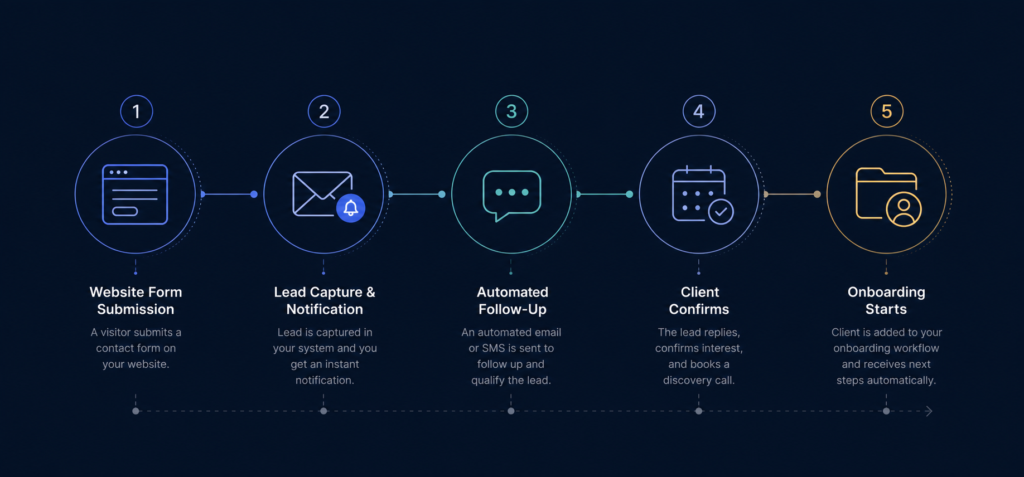
A simple service-business automation setup might look like this:
- A lead fills out the website form.
- The lead is added to a tracker or CRM automatically.
- The business owner gets notified immediately.
- A confirmation email goes out right away.
- If no action happens within a set timeframe, a reminder is triggered.
- Once the lead becomes a client, the onboarding workflow starts.
- Intake forms, kickoff steps, and internal tasks are created automatically.
This is the kind of focused improvement that can save time without making the business feel over-engineered.
What to do next
If your business is already dealing with recurring lead, onboarding, or admin friction, the next step is not to automate everything at once.
It is to identify the one workflow that creates the most drag and improve that first.
If you want help reviewing where that opportunity is, you can start here:
FAQ
What is workflow automation for small business?
Workflow automation for small business means reducing manual work in repeated business processes such as lead follow-up, onboarding, reminders, handoffs, and internal admin tasks.
What do workflow automation services include?
Workflow automation services usually include workflow review, process design, implementation, testing, and handoff. The goal is to improve how work moves through the business, not just connect tools.
When should a small business hire a business automation consultant?
A small business should consider hiring a business automation consultant when the workflow affects leads, onboarding, or operations, and the owner wants a reliable system without spending time designing and debugging it alone.
What should a small business automate first?
Most small service businesses should start with lead follow-up, client onboarding, or recurring internal admin work. These are often the clearest and most repeated workflow bottlenecks.
Is workflow automation only for larger businesses?
No. Small businesses often benefit a lot from automation because even a small amount of repeated admin work can create significant operational drag for a small team.