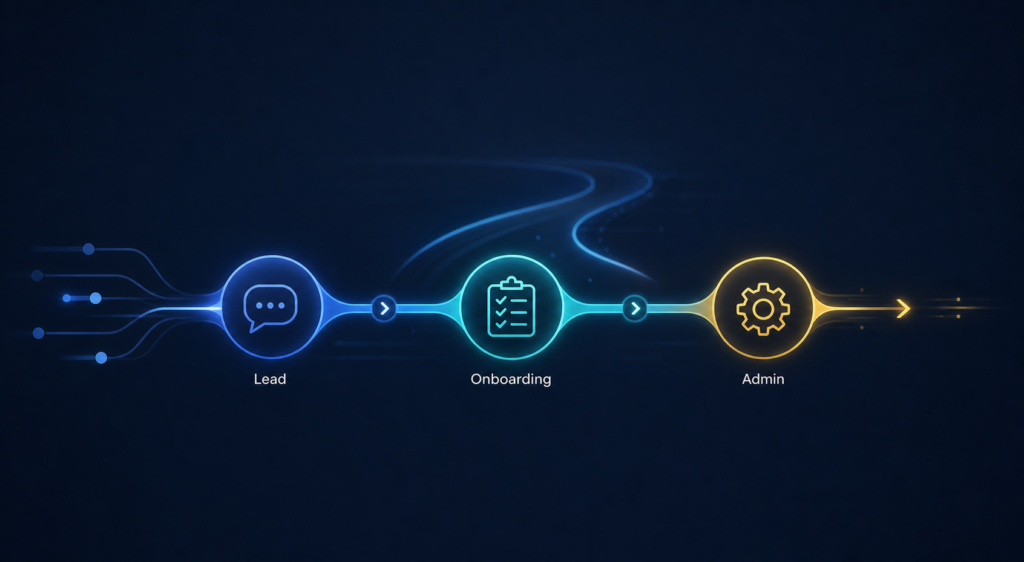

A useful automation can be as simple as saving an email attachment to the right folder, reminding you when a lead needs a reply, or creating a project checklist when a new client signs.
Deciding what to automate is the first step toward making it happen. This guide gives you 100 practical automation ideas for everyday work, side hustles, and small businesses. The examples cover lead follow-up, sales, client onboarding, administration, finance, marketing, support, and personal productivity.
Use the list for inspiration, not as a checklist you must complete.
Below you can find
What is workflow automation?
Workflow automation connects the tools and steps in a repeated process so that routine work happens automatically. A form submission might create a contact, send an acknowledgment, notify the right person, and schedule a follow-up task without anyone copying the same information between systems.
Not every automation needs artificial intelligence. Rules are often better for predictable actions such as moving data, sending reminders, or creating tasks. AI is most useful when a workflow needs help interpreting unstructured information, such as summarizing meeting notes or classifying an inquiry. Important decisions should still have appropriate human review.
10 useful automation ideas to start with
If you want a shorter starting point, these ten ideas are useful in many small businesses:
- Send an immediate acknowledgment when a new inquiry arrives.
- Create a follow-up task when a lead has not received a human reply.
- Send appointment reminders with an easy rescheduling link.
- Create a client onboarding checklist after a proposal is accepted.
- Remind clients about missing forms, files, approvals, or access.
- Turn meeting notes into decisions, action items, owners, and deadlines.
- Save and rename email attachments in the correct project folder.
- Generate an invoice draft when an approved milestone is completed.
- Send a daily summary of urgent tasks, overdue work, and failed workflows.
- Ask for feedback after a service has been delivered.
For a more focused starting process, read which small-business processes to automate first.
100 Automation ideas
Personal productivity and everyday admin automation ideas
These ideas reduce small pieces of repeated personal administration. They can help you start the day with better information and spend less time organizing files, messages, and reminders.
- Create a morning briefing. Combine today’s calendar, priority tasks, weather, and travel information into one email or message.
- Detect calendar conflicts. Flag overlapping meetings and suggest alternative times before the conflict becomes a problem.
- File receipts and invoices. Save receipt and invoice attachments from selected emails into a review folder organized by month and supplier while keeping the original messages intact.
- Silence distractions during focus time. When a focus block begins, mute selected notifications, remember the previous settings, and restore them when the block ends where the device allows.
- Send bill-due reminders. Notify you before recurring bills are due without automatically moving or spending money.
- Turn voice notes into actions. Transcribe a voice note, save it in a searchable place, and extract tasks or reminders for review.
- Summarise meetings. Convert a meeting transcript into decisions, open questions, action items, owners, and deadlines.
- Build a travel itinerary. Collect booking emails for flights, accommodation, and tickets into one organized trip summary.
- Turn flagged emails into tasks. Create a task with the sender, message link, and follow-up date whenever you star or label an important email.
- Organise and back up files. Rename, sort, and copy files or photos, then verify the backup and duplicate checks before anything is deleted.
Side-hustle and solo-business automation ideas
A side hustle often has the same moving parts as a larger business, but less time available to manage them. These automations can support sales and delivery without making the process feel impersonal.
- Track your available capacity. Combine calendar commitments, active orders, and delivery deadlines into a simple view of how much new work you can accept.
- Move sales into an order board. Create an order record when a sale arrives from a marketplace or online shop.
- Draft the service proposal. Turn approved discovery answers into a reviewable first draft covering the problem, proposed work, deliverables, assumptions, and exclusions.
- Reserve delivery time after each booking. When someone books a service, add preparation and delivery blocks to your calendar so the work is not overcommitted.
- Prepare invoices from completed work. Create an invoice draft from approved time entries or finished milestones.
- Log expenses from receipts. Extract the supplier, date, tax, currency, and total into an expense tracker, then check the fields against the original receipt.
- Collect content ideas. Anything useful, from a quick note to a saved link or a question a customer asked, goes automatically into one organized list, ready for when you create content.
- Repurpose approved content. Turn a published article or video into draft social posts and newsletter sections.
- Deliver digital products. After a trusted payment system confirms payment, send the buyer the correct file, access instructions, and support information.
- Create low-stock alerts. Track available quantities and notify you when a product or essential material reaches its reorder threshold.
Lead capture and follow-up automation ideas
Fast, consistent follow-up helps a potential client understand what happens next. The goal is not to send more messages. It is to prevent good inquiries from being lost between an inbox, a spreadsheet, a calendar, and a customer relationship management system.
- Create lead records from inbound inquiries. Add approved website, email, and social-message inquiries to one lead tracker while preserving the original message, consent details, and submission time.
- Send an immediate acknowledgment. Confirm that the inquiry arrived and explain when the person can expect a human response.
- Detect duplicate leads. Compare email addresses, phone numbers, and company details, then flag likely matches for human review instead of merging uncertain records automatically.
- Enrich the company record from verified public sources. Add relevant business details to the lead record, cite each source, and flag uncertain matches for human review.
- Preserve lead-source data. Record the campaign, page, form, referral source, and tracking parameters that produced the inquiry.
- Score leads against clear criteria. Apply agreed rules for service fit, location, budget range, urgency, or business type.
- Route inquiries to the right person. Assign a lead based on service, language, location, availability, or account ownership.
- Alert the team about a high-fit lead. Send a concise notification containing the useful context, not just a form-submission alert.
- Escalate leads awaiting a human reply. When the promised response window passes, alert the owner and their backup without sending another message to the lead.
- Gentle follow-ups, on autopilot. If someone doesn’t reply, they get a few friendly, helpful nudges. Once they answer or unsubscribe, the messages stop on their own.
- Find leads ready for reactivation. Identify older opted-in contacts who previously engaged but did not proceed, then prepare them for manual review.
- Acknowledge missed calls. When an authorized phone system records a missed call, send a short message with a clear way to request a callback or opt out.
- Complete incomplete lead records. When an inquiry lacks a required qualification detail, ask only for the missing information and wait for a usable response before routing it.
- Book the right meeting, first time. After a quick qualification, each lead is sent straight to the session that matches their experience and needs.
- Synchronise communication preferences. Update consent and channel preferences across your CRM and email tools while preserving when, where, and how each choice changed.
If inquiries frequently go cold or receive inconsistent replies, these are the signs that your lead follow-up needs automation. This article can help you identify the underlying gap.
Sales, proposals, and scheduling automation ideas
From the first call to the final deposit, a sale has many small steps, and each one is easy to miss when it’s done by hand. Automating the administrative steps leaves more room for meaningful, well-informed conversations.
- Send a qualification questionnaire. Collect the essential context before a discovery call so both sides can prepare.
- Manage contract signatures. Send the approved agreement to the correct signer, track completion, and store the signed copy with the deal.
- Prepare an itemized quote for approval. Calculate approved services, quantities, rates, discounts, and tax, then require a person to approve the final price before sending.
- Update deal stages from key events. Use approvals, declines, and signatures to move binding stages while treating proposal views only as engagement signals.
- Validate the sales-to-delivery handoff. After a signed agreement or verified payment, confirm the approved scope, commercial terms, client contact, and delivery owner before creating onboarding work.
- Send the correct deposit link. Provide payment instructions after the scope and price have been approved.
- Suggest meeting times intelligently. Respect working hours, time zones, travel time, and buffers between calls.
- Send appointment reminders. Include the agenda, joining details, preparation requirements, and a rescheduling option.
- Create a contact-specific pre-meeting brief. Combine the attendee’s role, CRM history, previous messages, open questions, and desired call outcome.
- Track proposal revisions. Record which version was sent, what changed in the scope or price, and which version the prospect approved.
Client onboarding and service-delivery automation ideas
A strong onboarding process makes the next step clear for the client and the delivery team. Automation can create consistency while keeping sensitive access, scope decisions, and client communication under human control.
- Send the main client welcome. After the agreement and required payment are confirmed, send the contracting contact a high-level confirmation with the next step and primary point of contact.
- Choose the intake form by service. Send only the questionnaire required for the purchased service and version of the engagement.
- Chase missing onboarding items. Remind the client about outstanding forms, files, approvals, or access without asking for items already supplied.
- Create the client record. Add the agreed contact, billing, scope, and communication details to the main system.
- Create a project from a template. Add standard phases, tasks, owners, dependencies, and realistic due dates.
- Prepare the project folder structure. Create consistently named folders and share only the appropriate locations.
- Set up the communication channel. Create the agreed client channel or workspace and add the relevant participants.
- Assign an internal owner. Notify the responsible person and provide the context needed to begin.
- Offer kickoff times when prerequisites are complete. Wait until required information or payment has arrived before opening scheduling.
- Know what access you need. Track every account and permission in one checklist, and share them securely instead of sending passwords by email or chat.
- Publish approved client-facing status updates. Send reviewed milestones, next steps, and deliverable links to the client portal while excluding internal notes.
- Assign client-side responsibilities. Give each stakeholder their specific deliverables, deadlines, access steps, and approval responsibilities without repeating the general welcome.
- Manage deliverable approvals. Record whether an item is approved, needs changes, or is waiting for feedback.
- Classify change requests. Route feedback as an included revision, a question, a defect, or possible additional scope while leaving the final scope decision to the project owner.
- Prepare the final client handoff. Assemble approved deliverables and documentation in one handoff package and notify the client when it is ready.
For a closer look at this stage, see the guide to client onboarding automation for small businesses.
Administration, operations, and team automation ideas
Operations automation works best when it reduces copying, forgotten handoffs, and avoidable uncertainty. It should also make failures visible rather than quietly hiding them.
- Classify incoming email. Tag messages by topic, urgency, client, or responsible person and leave uncertain cases for review.
- Coordinate approved time off. When leave is approved, update the team calendar, notify affected owners, and flag responsibilities that still need cover.
- Turn internal requests into assigned work. Create a task with the submitted answers, source link, due date, and owner whenever a staff request form is completed.
- Create recurring checklists. Generate the correct checklist for weekly, monthly, quarterly, or event-based work.
- Route internal approvals by type and value. Send expenses, purchases, content, or documents to the correct approver and record the decision.
- Synchronise authoritative status fields. Copy agreed status changes from the designated main system to connected tools, flag conflicts, and prevent circular updates.
- Remove access when someone leaves. Revoke approved accounts, assign equipment recovery, and require confirmation that high-risk access is gone instead of relying on an unchecked task list.
- Find missing or invalid data. Identify incomplete email addresses, dates, owners, required fields, or inconsistent formats.
- Keep operating procedures current. When an approved process changes, create review tasks for related checklists, templates, and knowledge-base pages.
- Track contract renewals and notice periods. Alert the owner early enough to review, renew, renegotiate, or cancel.
- Monitor licenses and certificates. Alert the owner before insurance policies, professional credentials, or compliance certificates expire so required evidence stays current.
- Escalate overdue work. Remind the task owner first, then notify a manager only when the agreed threshold is reached.
- Create a daily operations digest. Summarise urgent work, blockers, overdue tasks, approvals, and unusual events.
- Escalate critical failures. Alert the right person when a website form, payment, server, or other essential service stops working.
- Monitor automations themselves. Record each run with a unique event ID, retry only safe steps, prevent duplicate actions, and create a clear recovery task when human help is needed.
Finance, documents, and reporting automation ideas
Finance automations can prepare and organize information, but final payments, tax treatment, and sensitive approvals usually deserve human oversight. Build an audit trail so you can see what happened and why.
- Match receipts to transactions. Link uploaded receipts to bank or card transactions and flag anything missing, duplicated, or uncertain for review.
- Import and deduplicate bank data. Use stable transaction identifiers and agreed matching rules to bring approved statement exports into a tracker without double counting.
- Reconcile payment processor payouts. Match each payout to its sales, fees, refunds, and deposits, then flag differences for review.
- Update payment status. Use a verified payment event to update the CRM, project tracker, or accounting handoff process.
- Send approved overdue-invoice reminders. Follow a polite schedule, stop when payment is confirmed, and escalate exceptions to a person.
- Create a weekly cash summary. Combine confirmed balances, upcoming obligations, expected payments, and overdue invoices.
- Prepare a monthly accountant packet. Gather statements, invoices, receipts, payroll documents, and a list of missing items.
- Audit tax-year document completeness. Compare required document categories with the records on file, flag missing or misclassified items, and keep the originals available for review.
- Send exchange-rate alerts. Notify the owner when a relevant currency crosses an agreed threshold.
- Build a KPI report with data warnings. Calculate agreed metrics and clearly mark missing inputs, stale data, inconsistent sources, and other quality concerns.
Marketing, content, and reputation automation ideas
Marketing automation should support useful, reviewed communication rather than produce a high volume of generic content. Customer consent, brand accuracy, and editorial judgment still matter.
- Flag content that needs refreshing. Use review dates or approved performance thresholds to create update tasks for stale or declining content.
- Prepare SEO content briefs. Combine approved keywords, search intent, existing-site overlap, internal-link opportunities, and required evidence.
- Create campaign tracking links. Generate consistently tagged URLs for approved campaigns and record where each link will be used before publication.
- Segment subscribers by stated interests. Use explicit topic choices as the main signal and treat link clicks as secondary evidence when updating audience groups.
- Manage content review and scheduling. Move work through drafting, fact-checking, approval, publication, and distribution.
- Welcome opted-in subscribers. Send a short sequence that delivers the promised resource and explains what they will receive next.
- Track referral introductions. When an existing contact introduces a prospect, link the records, notify the owner, and schedule a thank-you.
- Request feedback after delivery. Ask at a sensible time and route the response to the client record.
- Escalate negative feedback for service recovery. Route dissatisfied responses to a person for follow-up while keeping any public-review invitation neutral and available to all eligible customers.
- Hear your customers in their own words. Public mentions and reviews are gathered into one clear summary, showing the phrases that keep coming up, in context.
Customer support and retention automation ideas
Support automation should help people reach a useful answer faster. It should never make it harder to reach a human when the situation is unusual, sensitive, or unresolved.
- Detect repeat support issues. Group similar requests and alert the team when the same problem crosses an agreed threshold.
- Draft answers from an approved knowledge base. Suggest a response with source links and require human review when the answer could materially affect the customer.
- Verify resolution before closing a request. Ask the customer to confirm the fix and reopen the request automatically if they reply within the agreed window.
- Create an account-health summary. Combine support history, delivery status, feedback, usage, and open risks into a reviewable overview.
- Send proactive incident updates. Notify only customers demonstrably affected by a known service issue when it begins, changes, or is resolved, using approved messages.
How to choose what to automate first
Do not choose your first automation because it uses the newest tool. Choose it because the process is repeated often enough, understood well enough, and frustrating enough to justify improvement.
- Frequency: How often does the task happen?
- Time: How much attention does it consume each week or month?
- Consistency: Are the steps mostly the same each time?
- Cost of mistakes: Do delays, omissions, or copying errors cause real problems?
- Clarity: Can you describe the trigger, steps, exceptions, and successful result?
- Risk: Can the automation be tested and reversed without harming customers, money, or important data?
A good first project is often a reminder, notification, data-entry step, or checklist creation workflow. It delivers a visible benefit without giving software control over a high-risk decision.
How to turn an idea into a reliable workflow
- Document the current process. Write down what starts it, who is involved, which tools are used, and where it tends to fail.
- Simplify before automating. Remove unnecessary steps, duplicate records, and unclear responsibilities.
- Define the rules and exceptions. Decide what can happen automatically and when a person must review or approve the next step.
- Build the smallest useful version. Test one clear outcome before adding more branches, tools, or AI.
- Monitor and maintain it. Log important events, alert someone about failures, prevent duplicates, and review the workflow when the business process changes.
This approach is central to practical workflow automation for small businesses: understand the process first, then connect the right tools around it.
What should not be fully automated?
Some workflows are better supported by automation than handed over completely. Keep meaningful human control when a process involves:
- moving money or approving unexpected charges;
- legal, tax, medical, employment, or safety decisions;
- deleting important records or merging uncertain duplicates;
- sending sensitive, emotional, or high-value client communication;
- publishing claims, prices, or commitments that have not been reviewed;
- using personal data without a clear purpose, appropriate access, and consent where required.
A reliable workflow also needs a way to handle exceptions. If the automation cannot confidently continue, it should stop safely, preserve the available information, and tell the right person what needs attention.
Want help turning one of these ideas into a working system?
EfficiencyNest helps small service businesses understand repetitive workflows, identify practical automation opportunities, and build connected systems that remain clear and maintainable.
If you already know which process is slowing you down, explore EfficiencyNest workflow automation services. If you are still deciding where to begin, the list above is a good place to choose one repeated problem and describe what currently happens from start to finish.
Frequently asked questions about automation ideas
What is a good first automation for a small business?
A good first automation is frequent, repetitive, easy to describe, and low risk. Examples include acknowledging new inquiries, creating follow-up tasks, sending appointment reminders, filing attachments, or creating a standard onboarding checklist.
What business tasks can be automated?
Many rule-based tasks can be automated, including lead capture, reminders, task creation, data entry, document preparation, reporting, onboarding, invoice drafting, and content routing. Decisions involving judgment, sensitive communication, money, or legal responsibility usually need human oversight.
Do I need AI to automate a workflow?
No. Many reliable automations use straightforward rules: when a defined event happens, perform a defined action. AI can help with unstructured information such as classifying messages or summarizing notes, but it should be added only when it improves the workflow.
How do I know whether an automation idea is worth building?
Estimate how often the task happens, how much time it takes, how predictable the steps are, and what mistakes or delays cost. Then compare that value with the effort and ongoing maintenance required. Start small and measure whether the result genuinely improves the process.
Can automation work with the tools I already use?
Often, yes. Many email, calendar, form, CRM, project-management, accounting, and file-storage tools can exchange information through built-in integrations or application programming interfaces. The exact approach depends on the tools, available access, data quality, and the importance of the workflow.
How much maintenance does a business automation need?
Every important automation needs some maintenance. Connected tools, fields, permissions, and business rules can change. A dependable setup should log failures, notify an owner, avoid creating duplicates during retries, and have a simple review schedule.