Introduction to the PARA Method
What is the PARA Method?
The PARA method, standing for Projects, Areas, Resources, and Archives, is a revolutionary organizational system that optimizes your digital environment for enhanced productivity and efficiency. Originating from the productivity insights of Tiago Forte, an expert in digital organization, PARA is designed to simplify the way you manage information across all platforms and tools. This method helps to declutter your digital space by categorizing every piece of information you encounter and use into one of four distinct categories.
Table of Contents
Overview of the Four Components: Projects, Areas, Resources, Archives
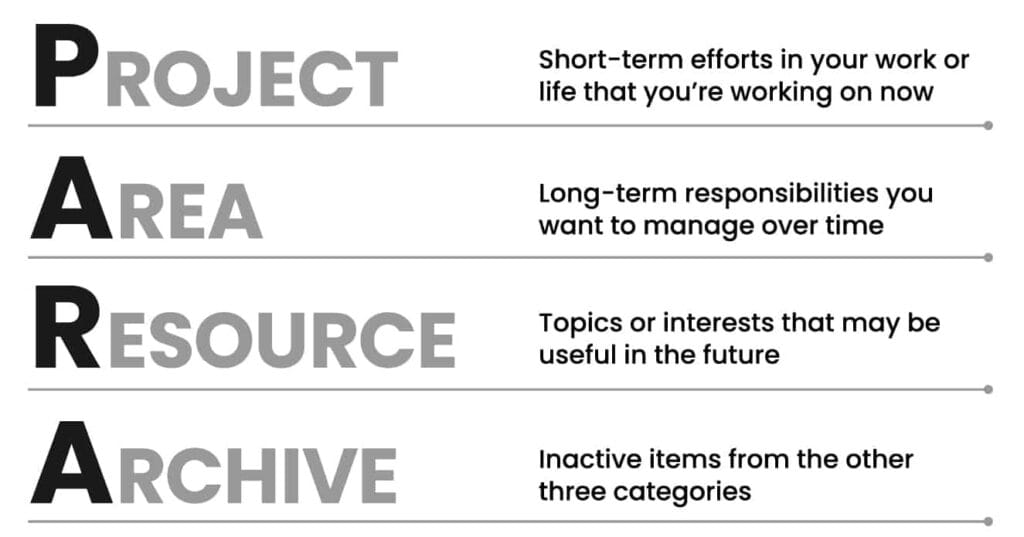
- Projects: Defined as a series of tasks linked by a common goal with a deadline. Examples include specific client work, event planning, or personal goals like fitness programs.
- Areas: These are spheres of activity that have a standard to be maintained over time and require ongoing attention, such as health, finances, or relationships.
- Resources: This category is for information that you think might be useful to keep for future reference but doesn’t belong in your active projects or areas. Common resources include articles, ideas, notes, and other reference materials.
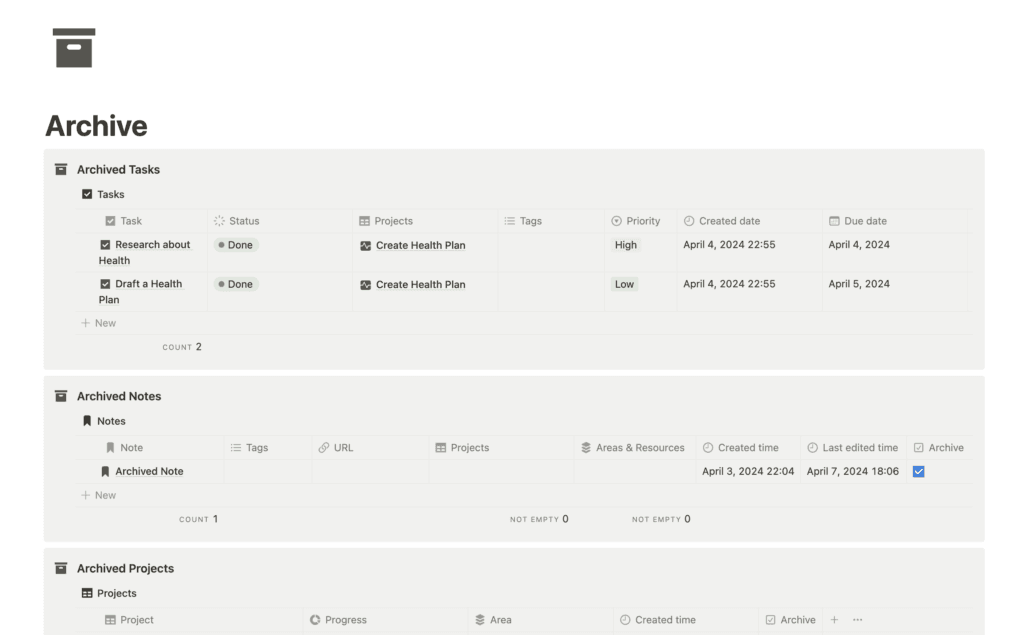
- Archives: The final category, archives, are for inactive items from the other three categories that you want to keep but don’t need to access regularly. This could include completed projects or outdated resources.
Key Principles of PARA
The PARA method differs from other productivity systems primarily through its adaptability and ease of integration into various tools and platforms, from simple note apps to complex project management software. Unlike many productivity methods that require strict adherence to a set of rules, PARA offers flexibility, allowing you to adapt its core principles to fit both your personal and professional life seamlessly. This method doesn’t just organize your tasks; it streamlines your entire digital workspace by separating active from inactive items, which enhances focus and efficiency.
By understanding and implementing the PARA method, individuals and organizations can revolutionize how they handle information, making them more organized and ultimately more productive in a digitally-driven world. Whether you’re a busy professional looking to optimize your workflow or an individual trying to juggle various personal projects, PARA provides a structured yet flexible framework for keeping your digital space clear and your mind focused.
How to Use the PARA Method
Setting Up Your System
Implementing the PARA method begins with establishing a clear system where each category is clearly defined and separated. This foundational setup ensures that your digital and physical environments are optimized for productivity and ease of access.
Step-by-step guide on setting up PARA categories:
- Create Separate Spaces: Begin by creating distinct spaces or folders for each of the four categories—Projects, Areas, Resources, Archives—in your preferred digital tool or physical setup.
- Label Clearly: Ensure each category is clearly labeled and easily accessible. Consistency in naming conventions across platforms will help maintain organization.
- Integrate Systems: If you use multiple platforms (e.g., Notion for note-taking, Trello for projects), integrate your PARA system across these tools to streamline workflow and information retrieval.
Managing Projects
In the PARA method, projects are defined as finite tasks with specific objectives and deadlines. They require active engagement and are typically the most dynamic component of your system.
How to define a project in PARA terms:
- Identify the outcome: A project should have a clear goal and a defined endpoint.
- Determine the timeline: Set a realistic deadline to keep the project completion-oriented.
Tips for keeping projects dynamic and completion-oriented:
- Regularly review and update project statuses.
- Break projects into smaller, manageable tasks to maintain momentum and clarity.
- Use reminders and deadlines to keep on track.
Organizing Areas
Areas differ from projects in that they represent ongoing responsibilities or aspects of life and work that require continuous maintenance.
What qualifies as an area versus a project:
- An area does not have a deadline and involves ongoing activities (e.g., health, career development).
- Projects are temporary with specific objectives and endpoints (e.g., launching a product).
Examples of common areas in work and life:
- Professional development, health and wellness, financial management.
Sorting Resources
Resources include information or tools that support your projects and areas but are not immediately actionable.
How to differentiate resources from archives:
- Resources are potentially useful information that you may need to access occasionally.
- Archives contain items that are no longer actively needed but are important for records or future reference.
Best practices for resource management:
- Regularly review resources to ensure they remain relevant.
- Categorize resources to facilitate easy access (e.g., articles, templates, tools).
Utilizing Archives
Archiving is crucial for maintaining a clutter-free system that focuses on current priorities.
Importance of archiving for decluttering:
- Keeps your active categories streamlined and focused.
- Reduces cognitive load by removing outdated or completed items from your immediate view.
Guidelines on what to archive and when:
- Archive completed projects and outdated resources that are no longer relevant.
- Review your archives periodically to delete or reintegrate items that have regained relevance or are permanently outdated.
By setting up and maintaining a structured PARA system, you can significantly enhance your productivity and efficiency, ensuring that every piece of information has its place and purpose. This clarity not only simplifies your workflow but also supports better mental clarity and focus.

Benefits of the PARA Method
Enhanced Focus and Clarity
The PARA method significantly improves focus and clarity by systematically organizing projects and responsibilities. This structure directly impacts your ability to concentrate on current priorities without being sidetracked by irrelevant information or tasks.
How PARA promotes attention to active projects and minimizes distractions:
- Clear Categorization: By dividing tasks and information into distinct categories (Projects, Areas, Resources, Archives), PARA helps you focus on what is immediately necessary and ignore what is not.
- Prioritization: This method encourages you to prioritize tasks that are active and deadline-driven, ensuring that your attention is focused on completing them timely.
Improved Information Retrieval
One of the standout benefits of the PARA method is its ability to streamline the process of finding and using information when you need it.
Explanation of how organizing resources and archives simplifies information retrieval:
- Systematic Filing: By maintaining a dedicated space for Resources and Archives, PARA ensures that past documents, references, and resources are systematically filed and easy to retrieve without cluttering your current workspace.
- Search Efficiency: With everything categorized properly, searching for documents and resources becomes quicker and more intuitive, reducing time spent navigating through irrelevant data.
Adaptability Across Tools and Platforms
The flexibility of the PARA method makes it exceptionally adaptable across various tools and digital platforms, enhancing its effectiveness irrespective of the specific software or system you use.
Versatility of the PARA method with different productivity tools and platforms:
- Tool Agnostic: Whether you use Notion, Evernote, Google Drive, or physical files, the PARA method can be seamlessly integrated to improve organization and efficiency.
- Customization: Each category within PARA can be adapted to fit the features and strengths of different platforms, allowing for a personalized organization system that enhances productivity across all your devices and environments.
This adaptability not only makes PARA a robust method for managing projects and information but also ensures that it remains relevant and effective as new technologies and platforms emerge. By implementing PARA, individuals and organizations can maintain high levels of productivity and efficiency, regardless of the tools they choose to use.
PARA System in Notion
Getting Started with Notion
For those new to Notion or digital organization tools, beginning with the PARA method can transform how you manage information and tasks. Notion offers a versatile platform that adapts well to the structured yet flexible nature of PARA.
Brief introduction to Notion for new users:
- What is Notion?: Notion is an all-in-one workspace where you can write, plan, collaborate, and get organized. It allows you to take notes, add tasks, manage projects, and more.
- Creating a new workspace for PARA: Start by setting up a new workspace in Notion specifically designed for the PARA system. This space will host your Projects, Areas, Resources, and Archives, each as separate but interconnected components.
Live Example of a PARA Dashboard in Notion
Experience the PARA method in action through our custom-designed Notion template. This live example demonstrates how to set up and utilize a PARA structured dashboard effectively.
Quick Overview of PARA Dashboard in Notion
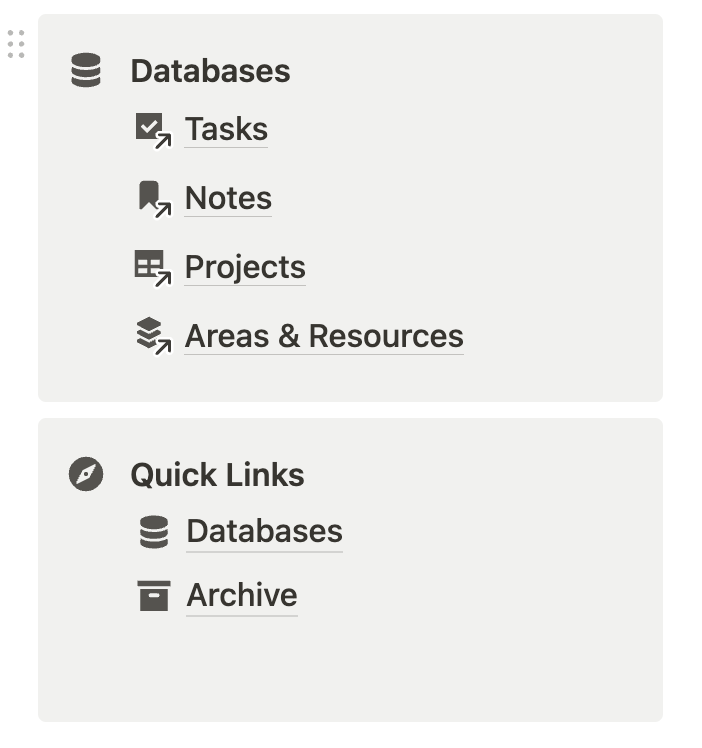
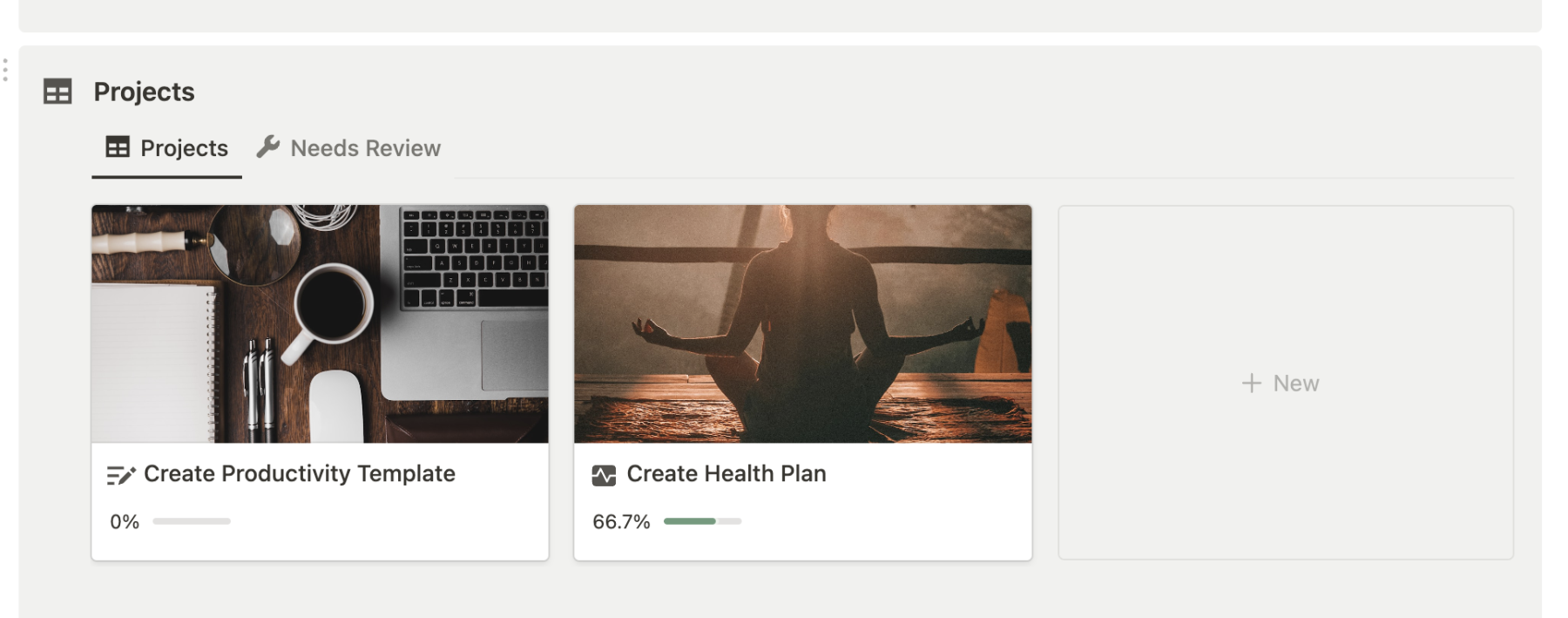
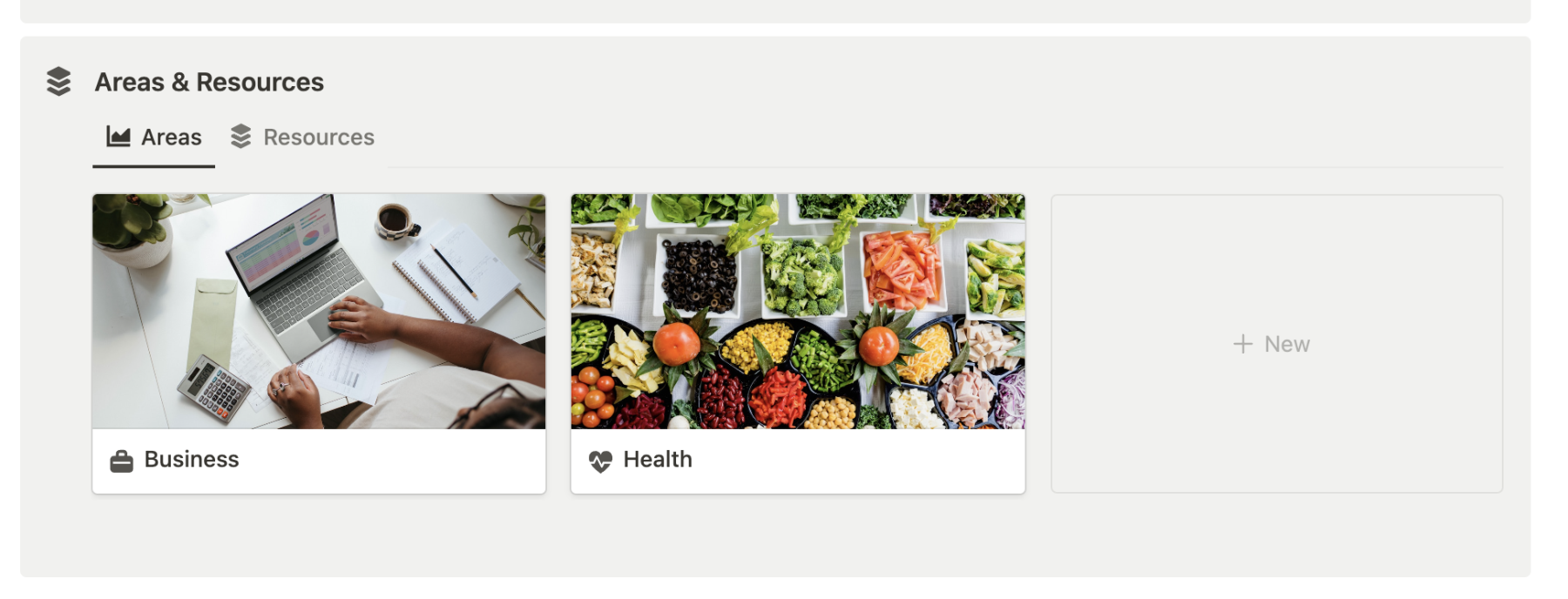
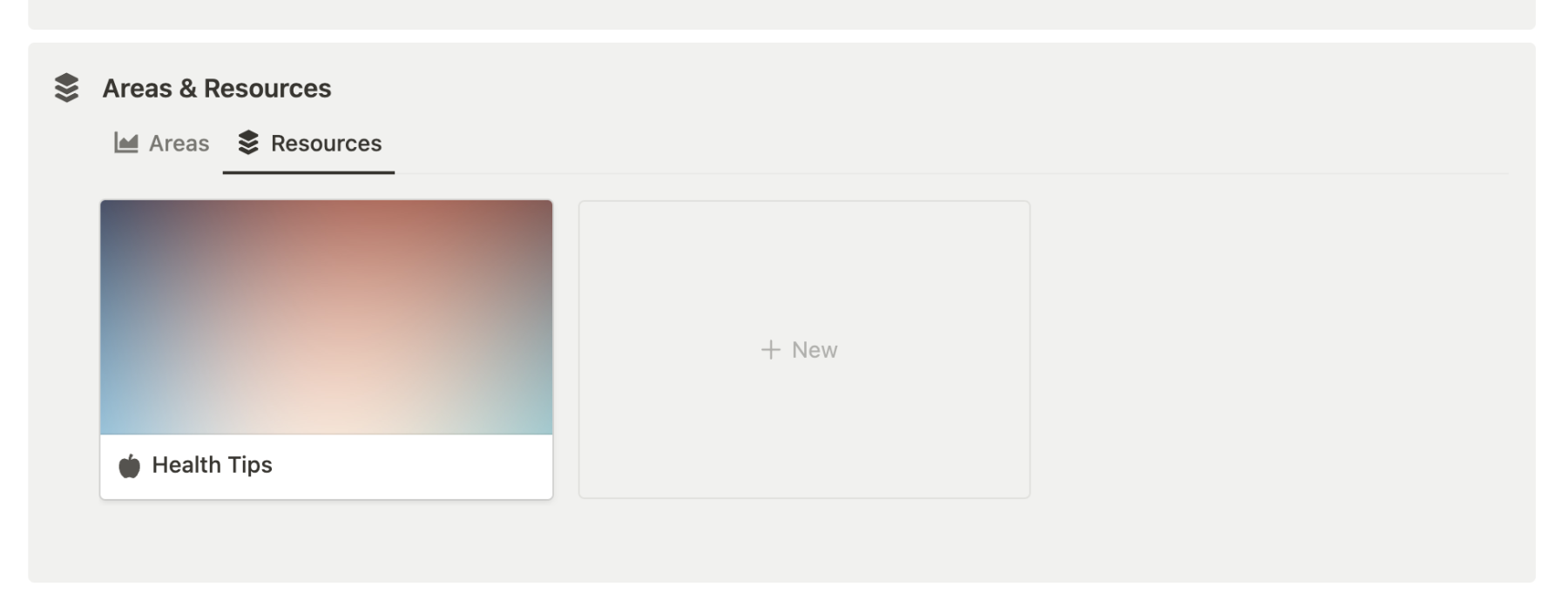
This template leverages PARA methodology to create a simple yet efficient system to boost the productivity. It contains the main dashboard where you can quickly glance at your system, add/modify or archive your information. The dashboard contains of:
- Quick Capture: Quickly add new piece of information
- Databases: A list of quickly accessible databases
- Quick Links: Additional resources for quick navigation
- Tasks Section: A database view for managing your tasks
- Notes Section: Capture your notes which could be used for Projects or Resources
- Projects Section: An area for managing your projects
- Areas/Resources Section: Manage your Areas and Resources in a convenient way