
Workflow automation case study for Milagro Dance Academy
Milagro Dance Academy: Registration Automation and Lesson Reminders
One Google Calendar connecting group lesson schedules, WordPress registration, confirmation emails, and automated lesson reminders.
For this dance academy in Vilnius, the starting point was a practical request: remind students about their upcoming lessons. The implementation also connected information that had been maintained separately, while keeping the owner in control.
The project at a glance
The business
Milagro Dance Academy is a dancing studio in Vilnius, Lithuania, specializing in Pro/AM. Its instructors already used Google Calendar to coordinate lessons.
The problem
Website lessons were entered separately. Registrations lacked automatic confirmation and reminder emails, and keeping information current required repeated maintenance.
The implementation
A calendar driven schedule and registration form, branded confirmations, a one month reminder sequence, and owner controls inside WordPress.
Before: the same schedule maintained in different places
The previous website ran on Wix. The team maintained its internal lesson schedule in Google Calendar, but also entered group lessons into a separate website plugin. When information was not updated in both places, the website could become outdated.
Students could register weeks before a lesson without receiving an automatic confirmation or reminder. The owner wanted a way to follow up before the lesson without manually remembering each registration.
The website also needed improvements to mobile presentation, navigation, and the path from discovering a lesson to registering for it.
After: a connected registration and reminder workflow
Google Calendar remained the scheduling source of truth. WordPress became the place for website presentation, registration records, and reminder controls.
Group-lessons Google Calendar
The team maintains lesson information here.
↓
Public website schedule
ICS Calendar displays the group lessons.
Registration dropdown
The custom extension refreshes lesson options every 15 minutes.
↓
Student selects a lesson and registers
A branded confirmation follows registration.
↓
One-month reminder plan
Email reminders send 24 hours before each applicable group lesson, then stop after one month.
Owner oversight sits alongside this flow: reminder plans can be reviewed and paused. Lesson changes after registration require manual intervention. Certain scheduling or email failures trigger developer alerts.
Connect the public schedule to Google Calendar
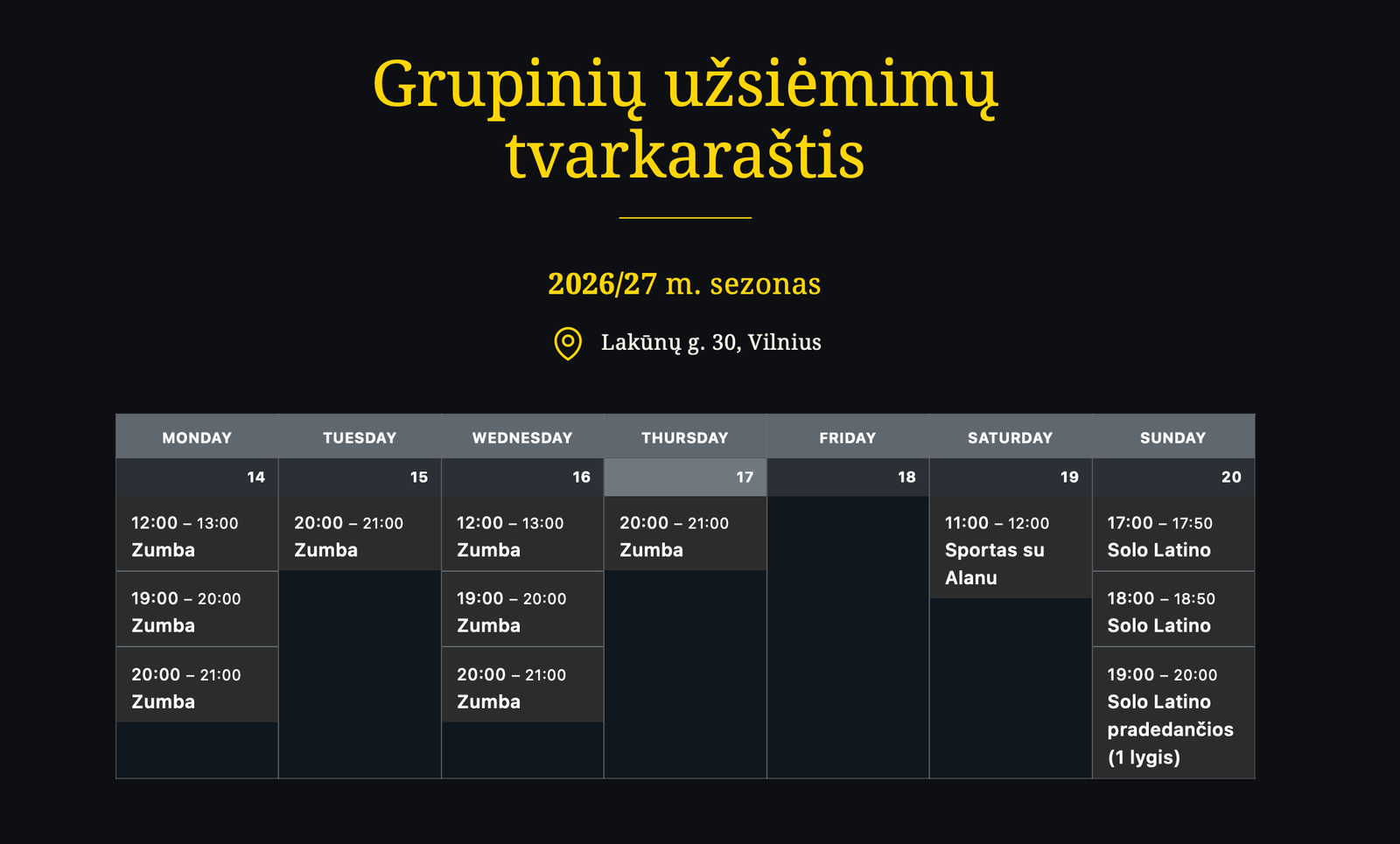
The existing internal calendar included both group and individual lessons. A dedicated public calendar was created for group lessons, while the calendars remained the team’s familiar scheduling tools.
The free ICS Calendar plugin displays the group calendar on the website. Instead of re-entering website lessons separately, the team updates its calendar. Public schedule changes appear promptly in the implemented setup.
Populate registration options from the same lesson data
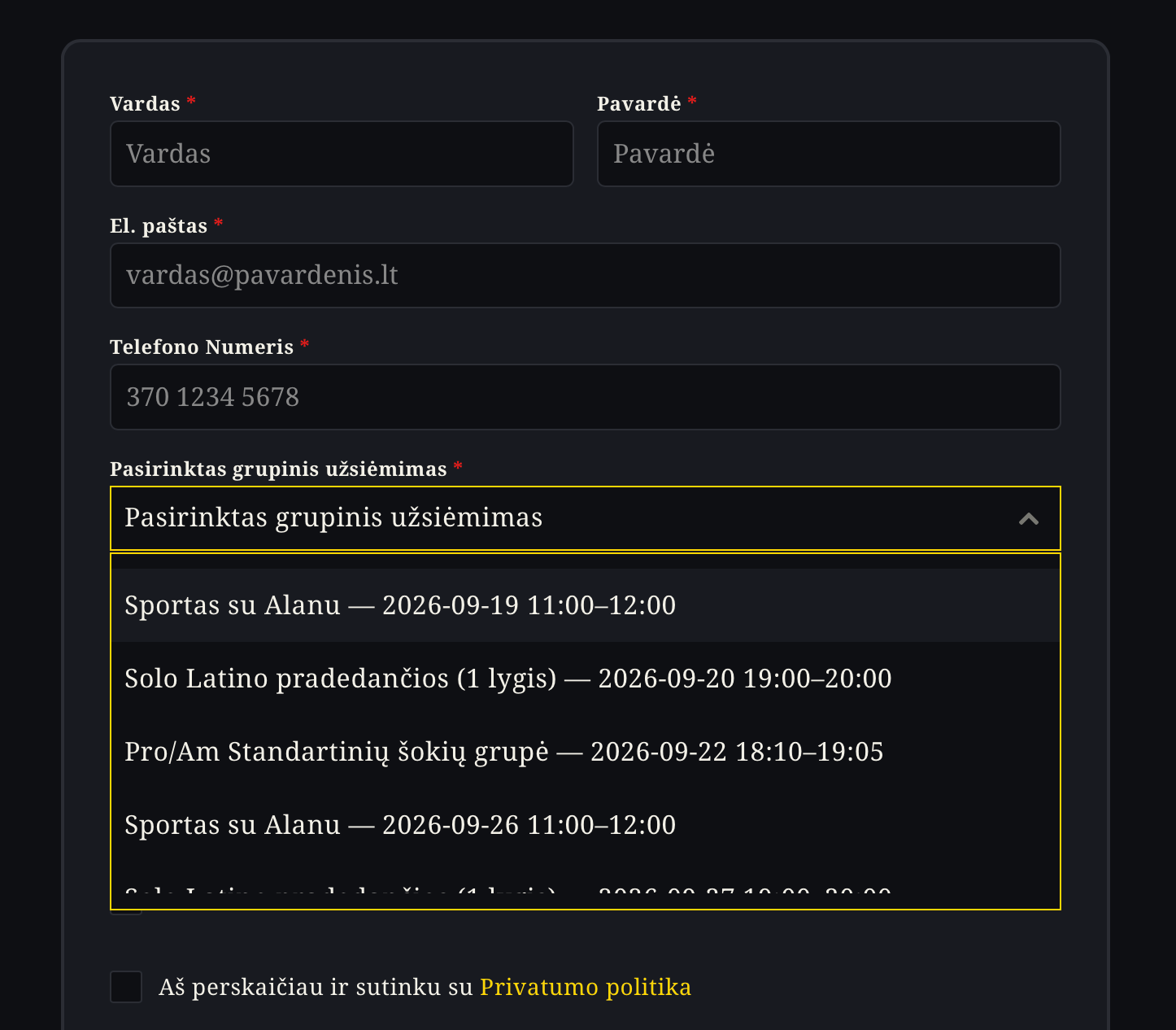
The registration form uses the free Forminator plugin. A custom Lessons Sync extension adds the calendar-driven functionality needed for this workflow.
The extension reads the group-lessons calendar feed and populates the registration dropdown with lessons and their times. Its current refresh interval is 15 minutes and can be adjusted. This removes another set of lesson options that would otherwise need separate maintenance.
Send confirmations and automated lesson reminders
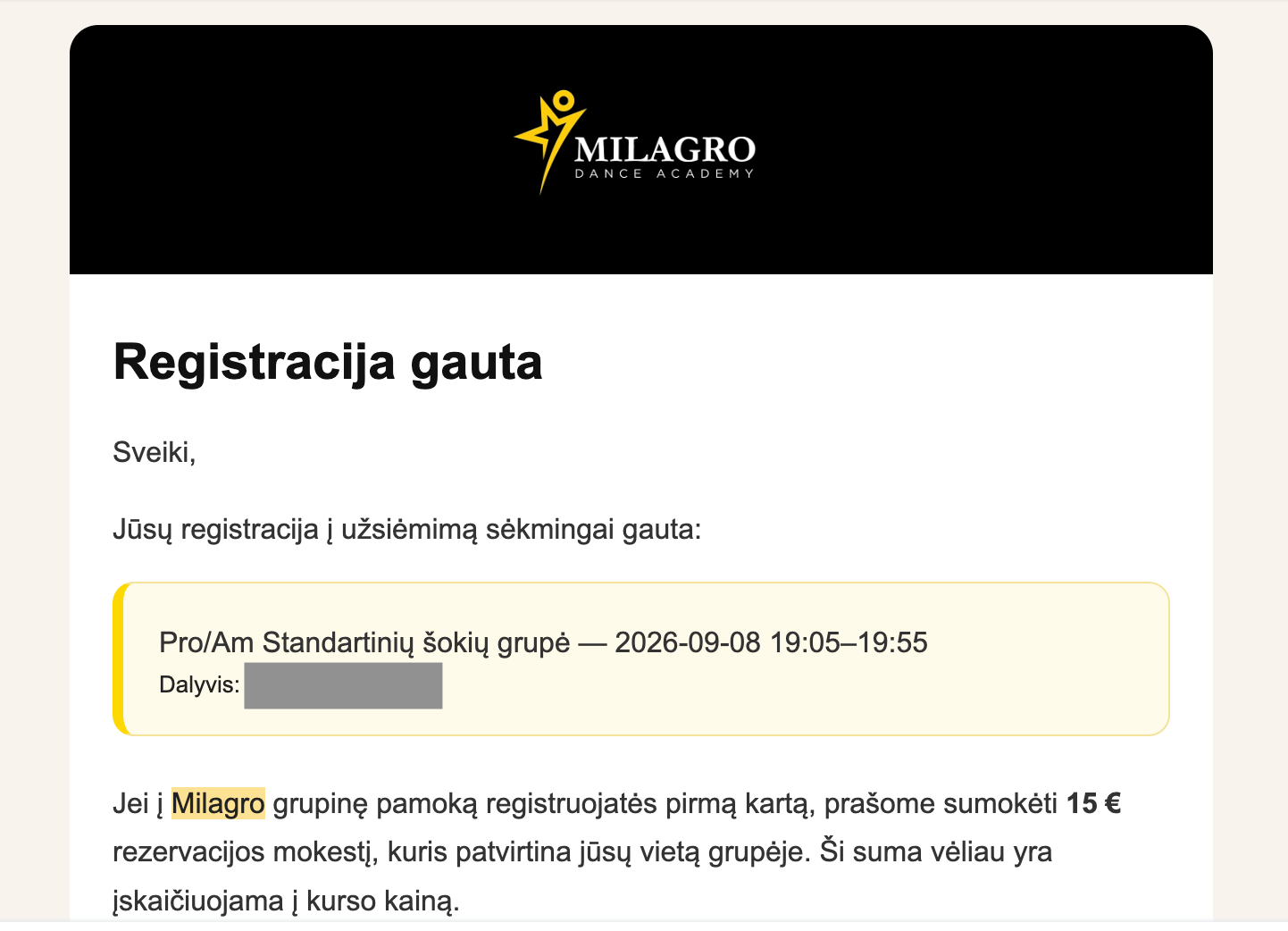
After registration, the student receives a styled HTML confirmation email containing the selected lesson information.
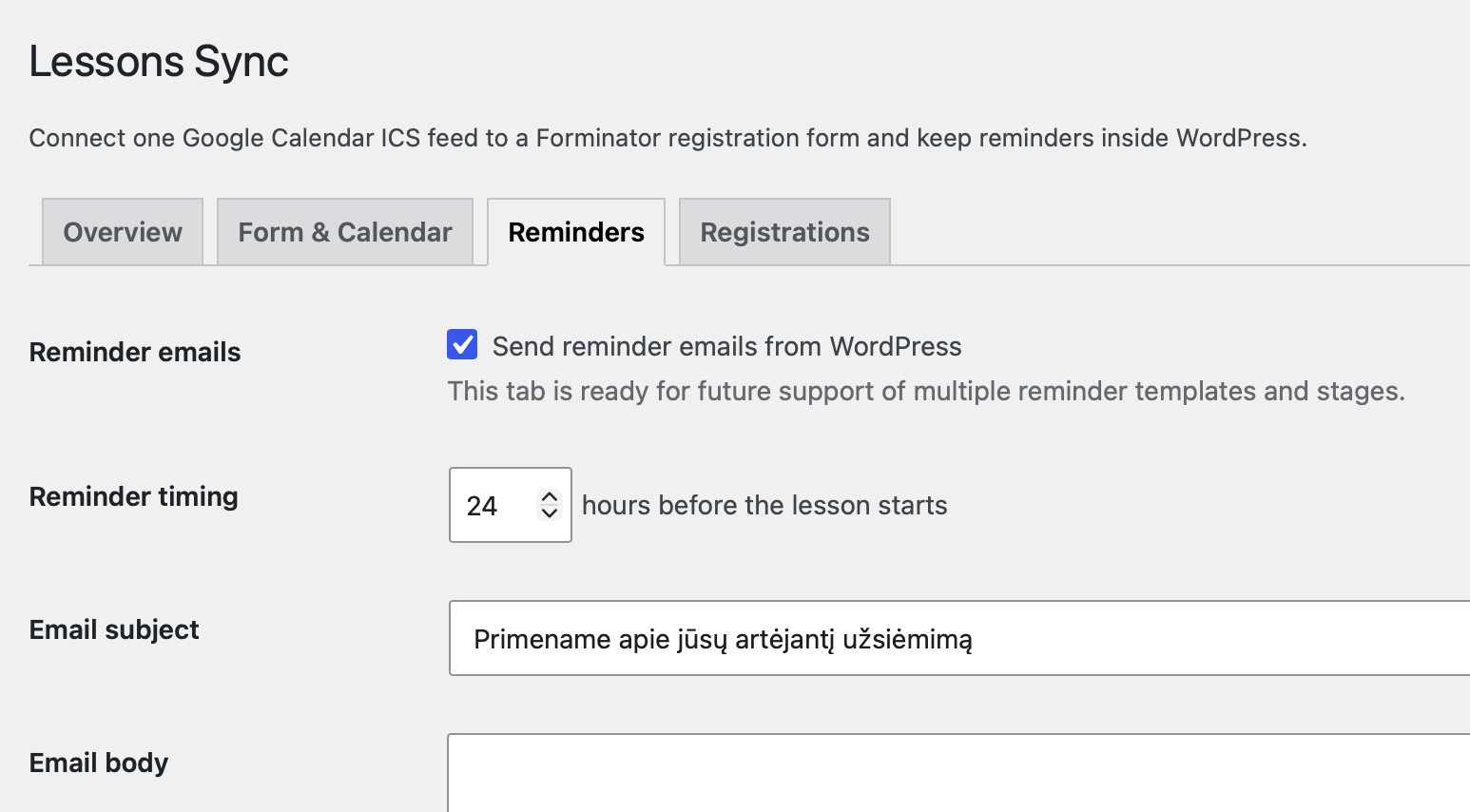
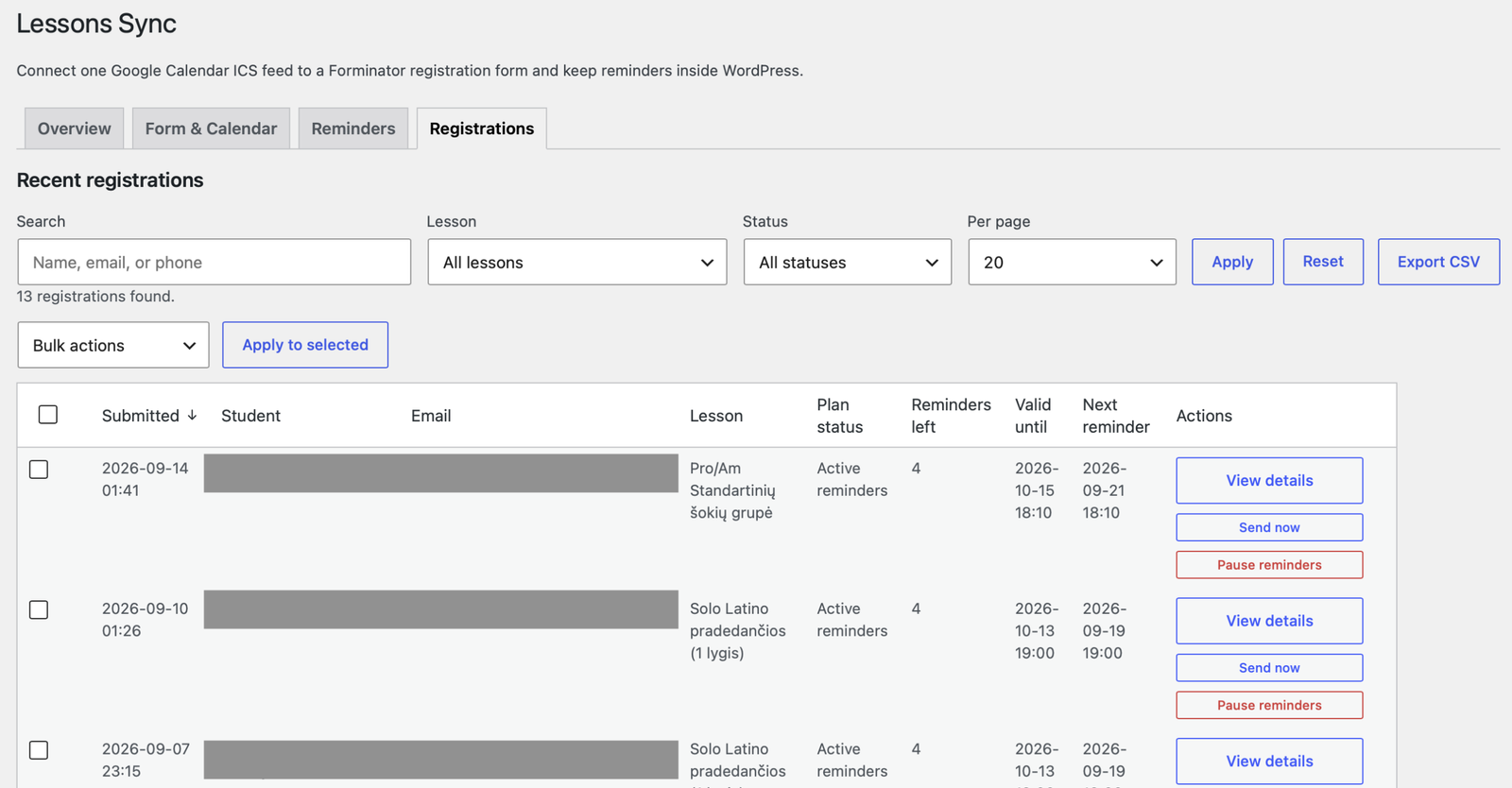
The custom extension also schedules automated email reminders. In the current configuration, reminders send 24 hours before each applicable recurring group lesson for a one-month period. They then stop, rather than continuing indefinitely.
The owner can adjust reminder timing and template content, using variables to include relevant registration and lesson information. Confirmations and reminders share a consistent branded visual treatment.
Keep the owner in control
Automation does not remove the need for oversight. The owner can review registration records, inspect reminder plans, search and filter entries, export records, and pause reminders when needed.
The extension sends developer alerts for certain scheduling job or email failures, giving an additional signal when support may be needed. These alerts are not a guarantee of inbox delivery or coverage of every possible failure.
Support the complete journey with a clearer website
The workflow implementation was accompanied by a Wix to WordPress migration on Hostinger, with domain and email migration coordination. WordPress provided a practical foundation for the custom registration logic.
- Restructured navigation and page information to help visitors find relevant lessons.
- Improved mobile presentation and refreshed the visual design.
- Added clear calls to action connecting schedules and registration.
- Created a dedicated lesson pricing page.
- Added SEO foundations, Google Analytics, and Google Search Console for future monitoring.
These changes supported the customer journey. The core automation work was connecting scheduling, registration, and follow-up, not simply changing the website platform.
What was delivered
- Calendar-fed website schedule and registration options.
- Automatic confirmations and the configured reminder sequence, received by real students.
- Owner visibility, manual reminder controls, and developer alerts.
- A redesigned website with clearer pricing and registration routes.
- Cost effective hosting solution
- A guide on how everything was set up, how it works and how to configure it if necessary
Lower hosting costs: an approximate comparison
Using the owner’s approximate figures, Wix cost around €19 per month, while the new Hostinger plan cost approximately €160 prepaid for four years using a referral offer. Four years at €19 per month would total €912: an illustrative difference of around €750 over four years.
This is a projected comparison of monthly and promotional prepaid hosting prices, not savings already realised or a full like-for-like total-cost calculation. It excludes the intermittently paid Wix registration plugin and does not establish future renewal savings.
Could your registration and follow-up work together better?
If your team enters the same information in several places or relies on remembering every follow-up, start with the workflow. The right implementation can connect existing tools while preserving clear ownership and manual controls.
This is the approach behind EfficiencyNest’s workflow automation services for small service businesses: understand the process, simplify the handoffs, and automate the repeated work.